
How to Join an Existing FS Business Account
Last Updated: 2026-09-07 16:04:49
There are two ways to add members to an existing FS Business Account:
Business Account administrators can invite users to join their Business Account by email.
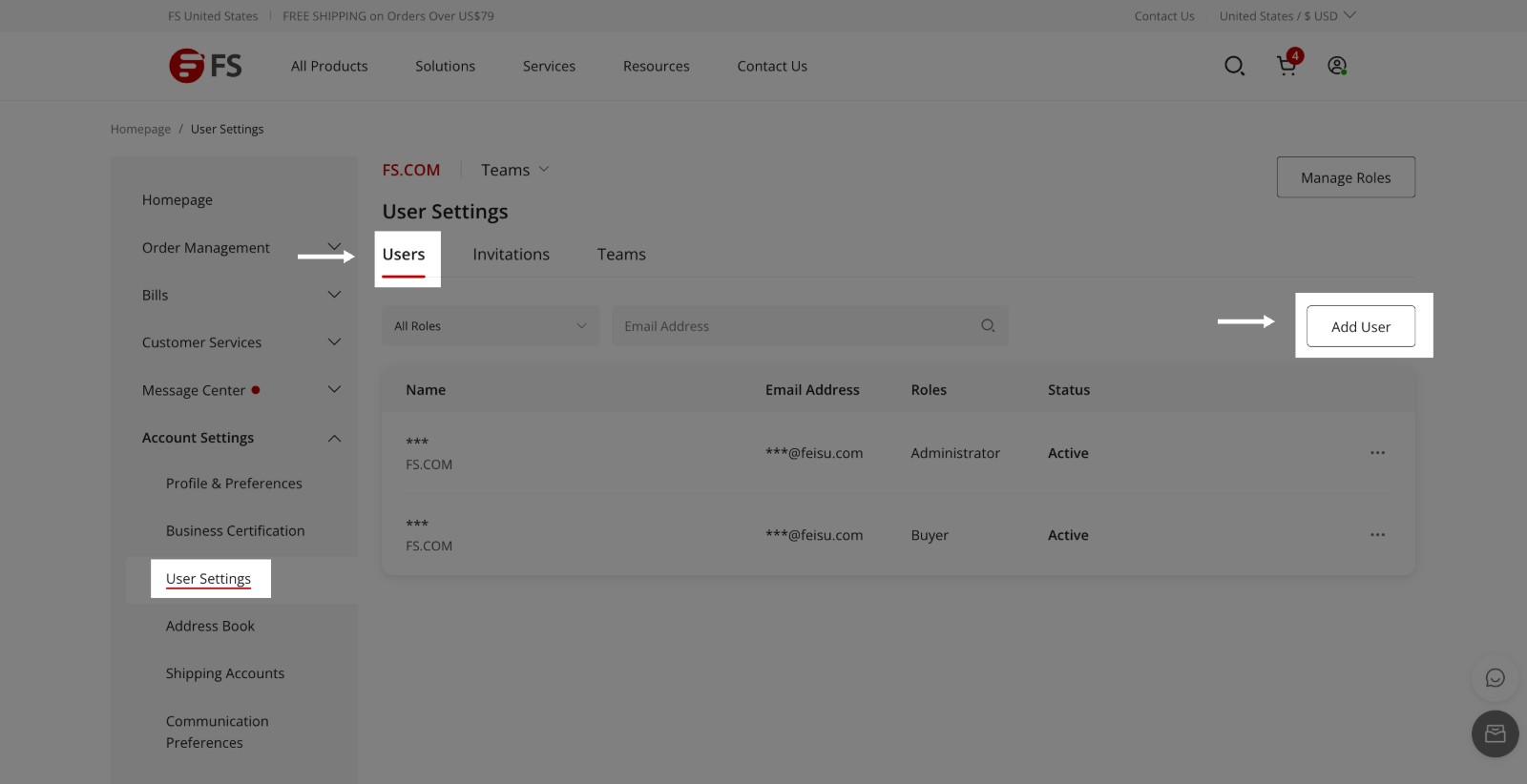
Step 1. Open Member Management
Go to Account Settings > User Settings and click Add User.
Step 2. Enter Member Informat
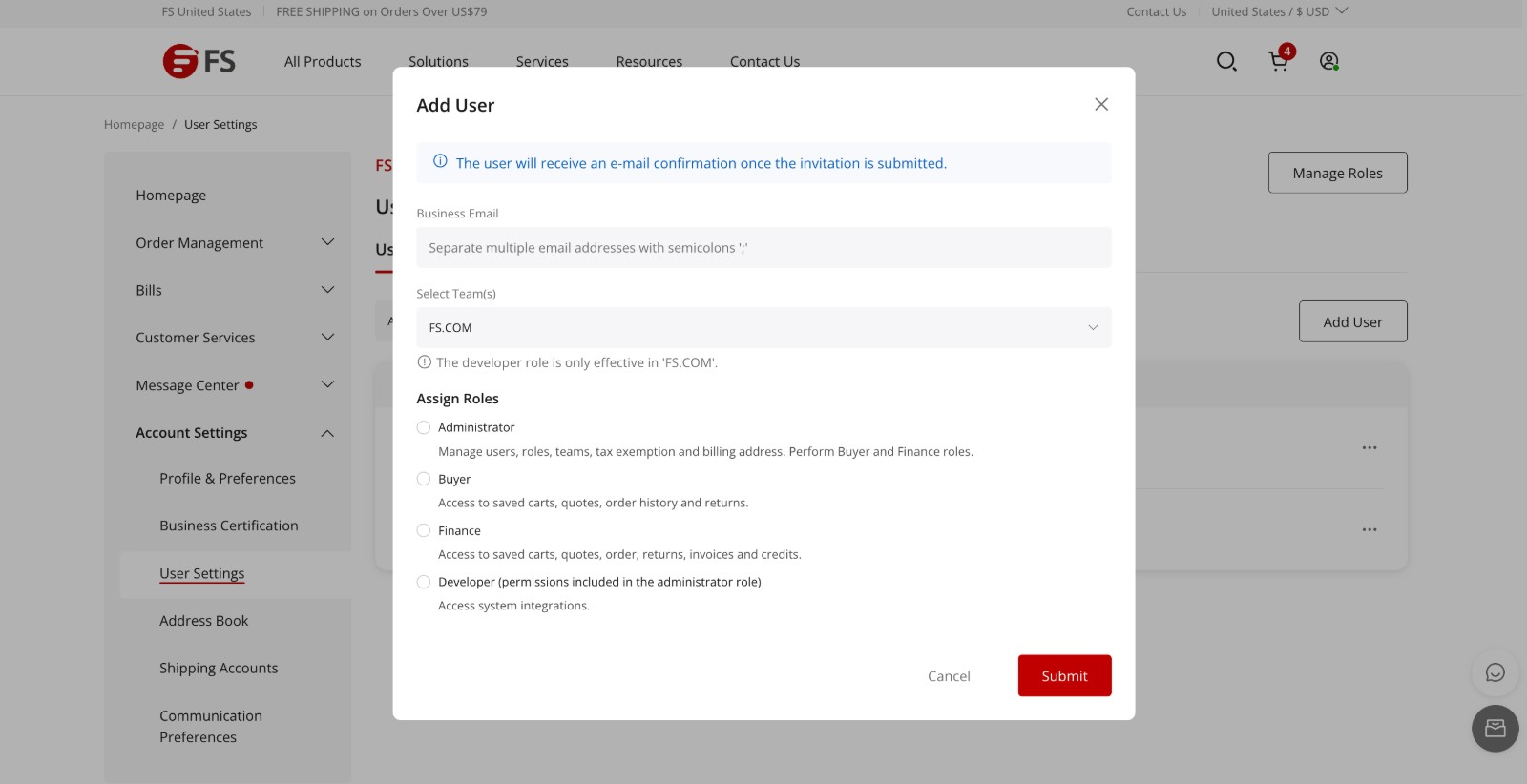
Enter the member's email address, assign a role, and click Submit to send the invitation. The invited user will appear in the Invitations list with a Pending status.
Step 3. The Invited User Accepts the Invitation
The invited user receives an invitation email and clicks "Join". If the user does not already have an FS account, they must:
After confirmation, the user is added to the Business Account automatically.

Before You Begin
Make sure that:
Step 1. Find the Existing Business Account
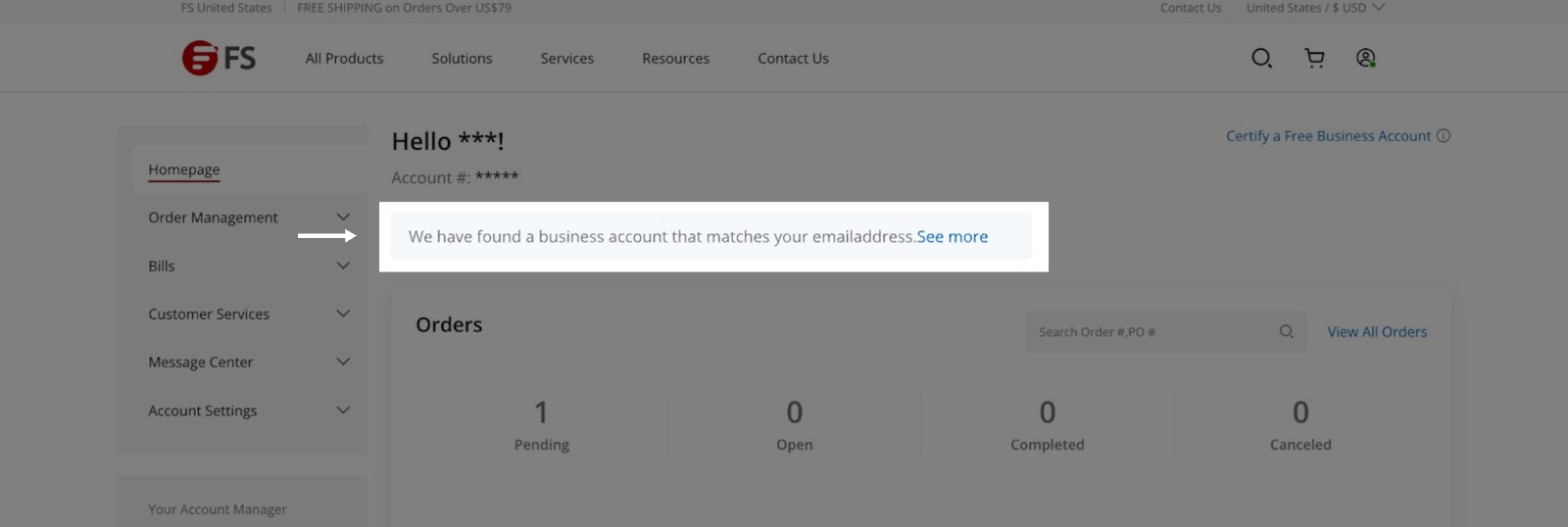
You can start the join process from one of the following entry points. If we detects an existing Business Account for your company, we will prompt you to choose to join.
From the Account Center
During Business Account application
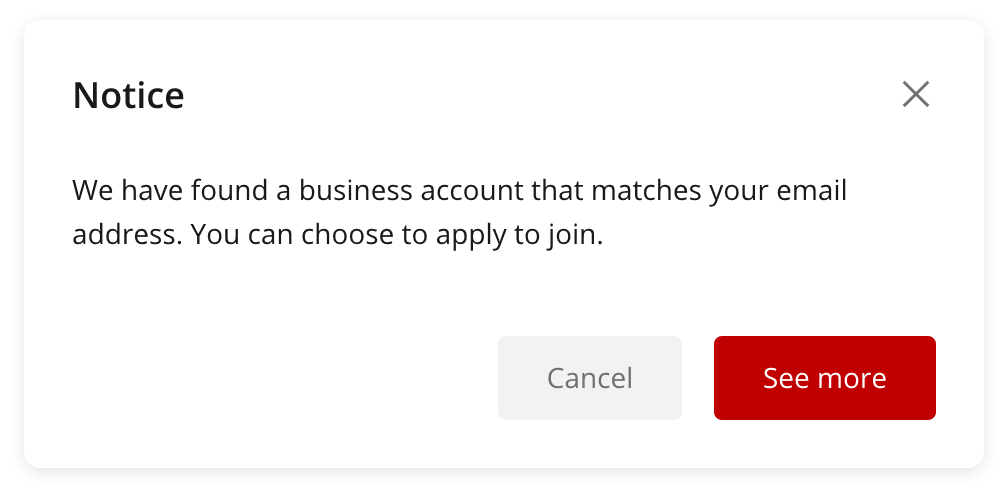
Step 2. Submit a Join Request
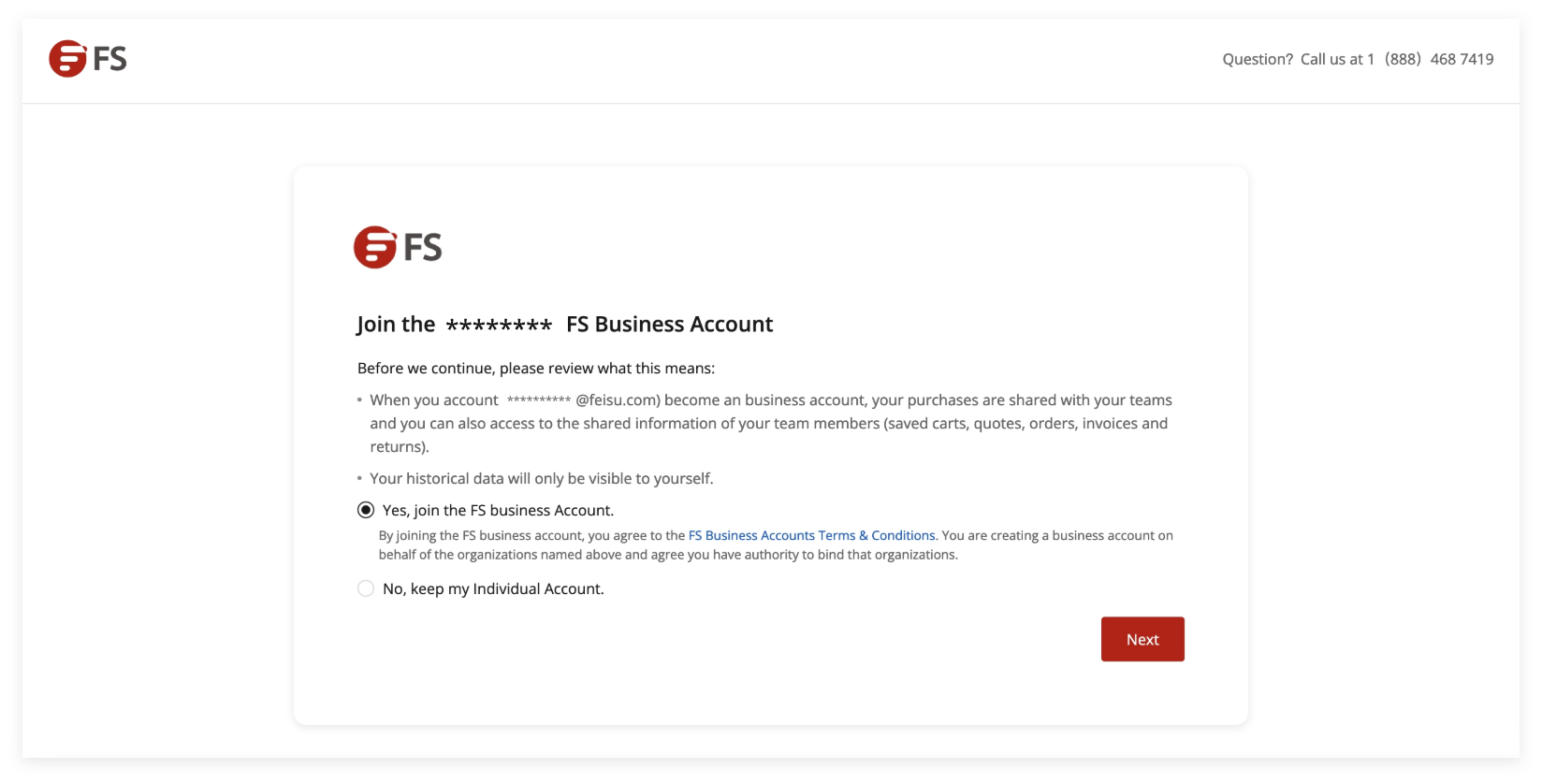
On the confirmation page, choose one of the following options:
After submitting your request, its status becomes Pending until it is reviewed by the Business Account administrator.
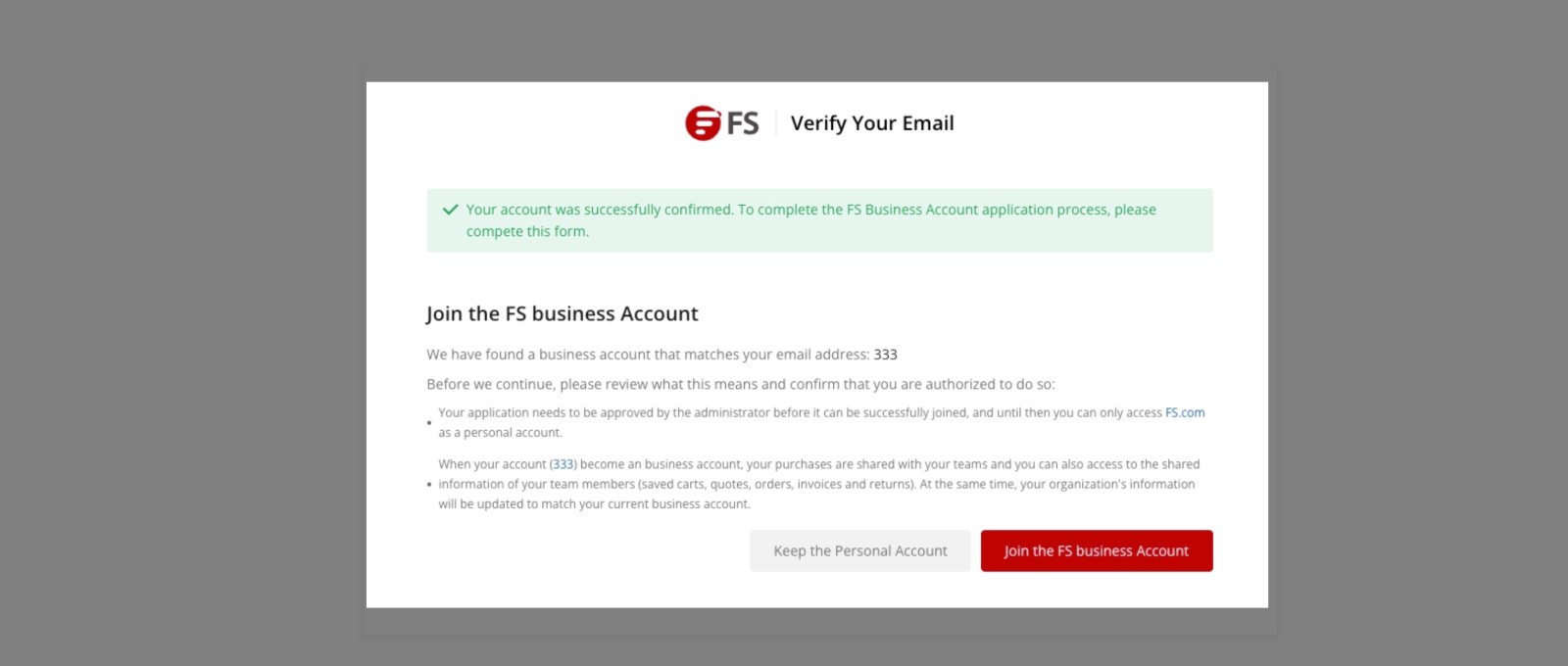
Step 1. Review Join Requests
The administrator can view incoming requests in User Settings >Invitations. Each request includes the following information:
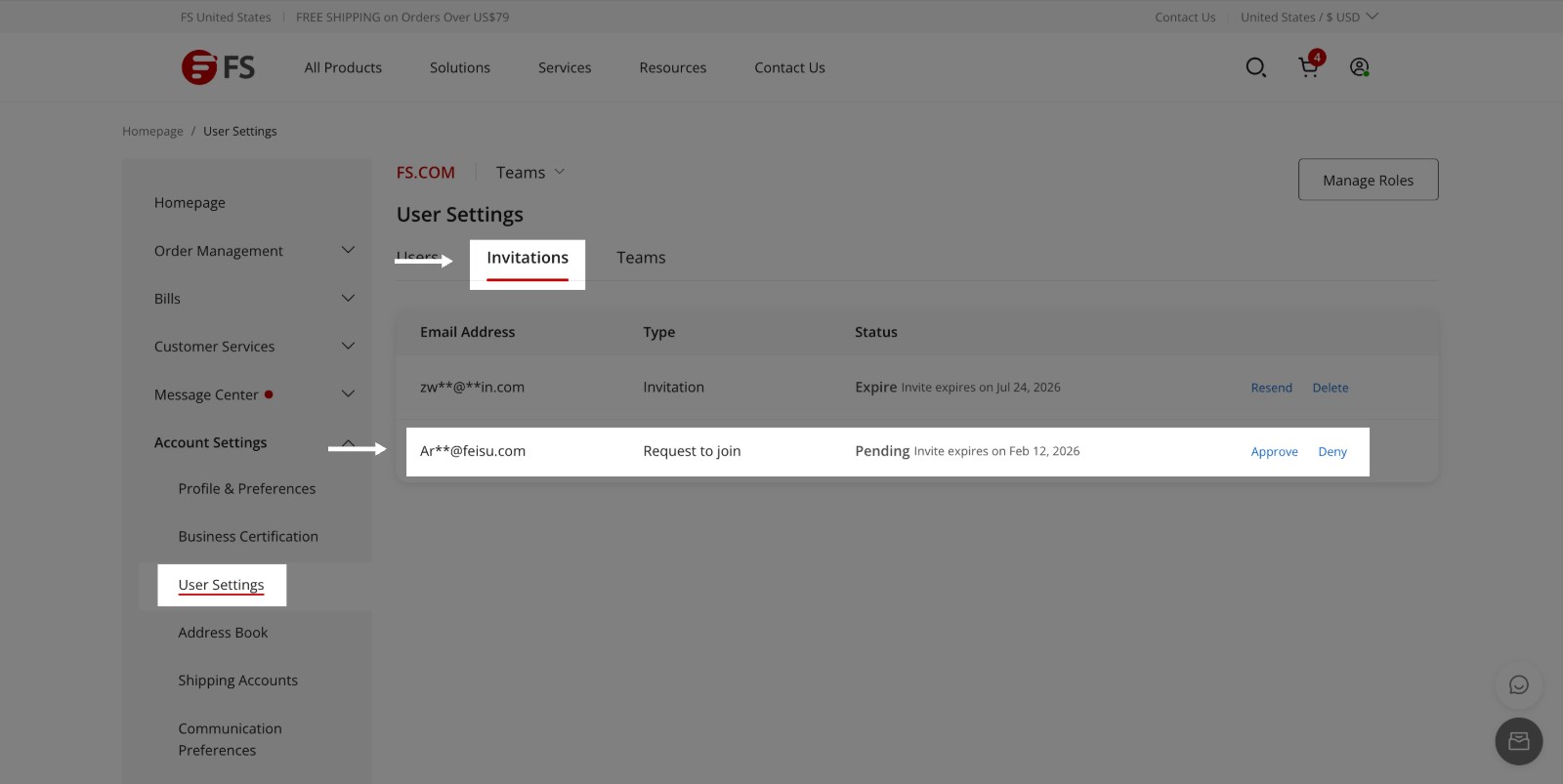
Step 2. Approve the Request
If the administrator approves your request, they can assign the appropriate team and role permissions.After approval, you will become a member of the Business Account and can access the features and resources based on your assigned permissions.
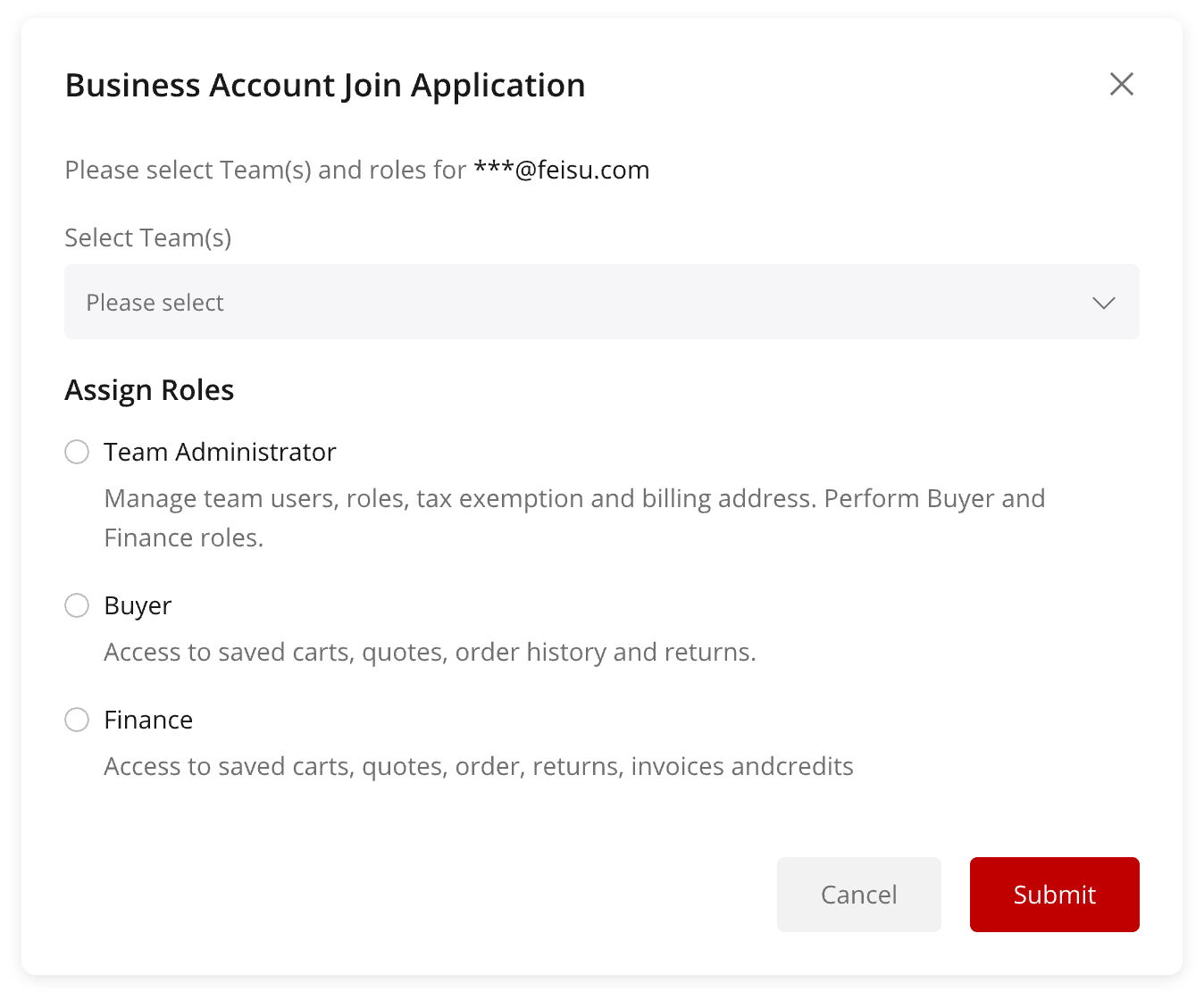
Step 3. Reject the Request
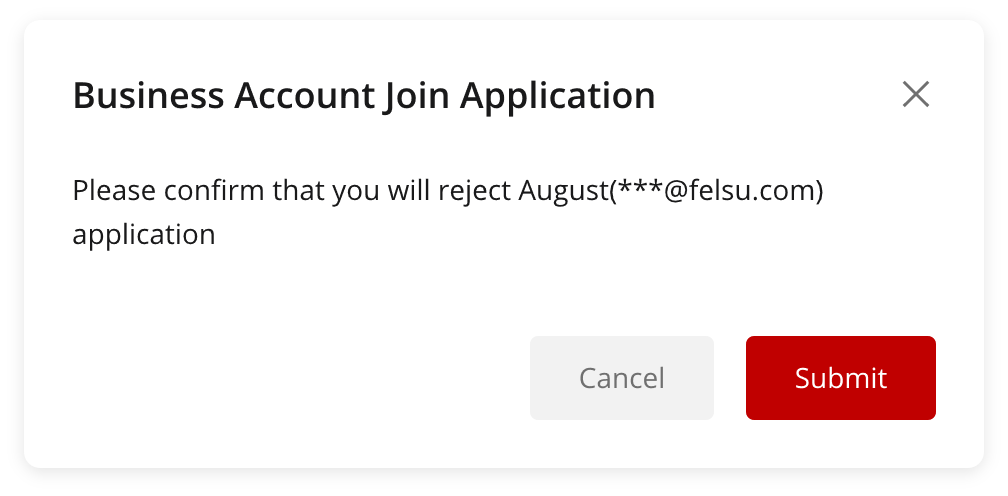
If the administrator does not approve the request, they can reject it.
After rejection, your account will remain a personal account and will not be added to the Business Account.
本页导读
Option 1. Invite Members
Option 2. Request to Join an Existing Business Account
Administrator Review Process
Result