
How to Set Up and Verify an FS Business Account
Last Updated: 2026-09-07 16:23:02
This guide explains how to create an FS Business Account anid verify your business.
Before applying for Business Account Verification, you need to create a Business Account first.
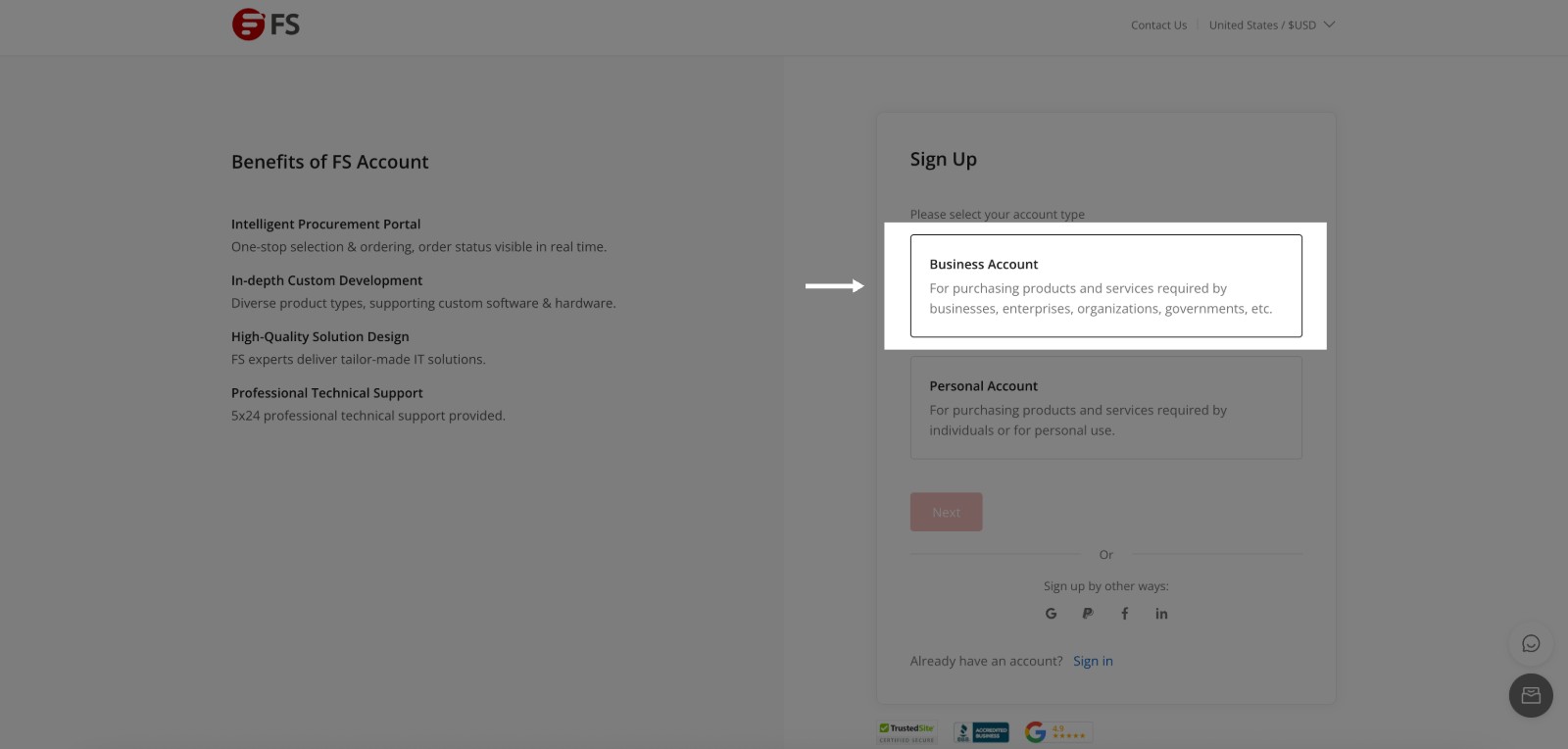
Step 1. Go to the FS registration page and select Business Account as your account type.
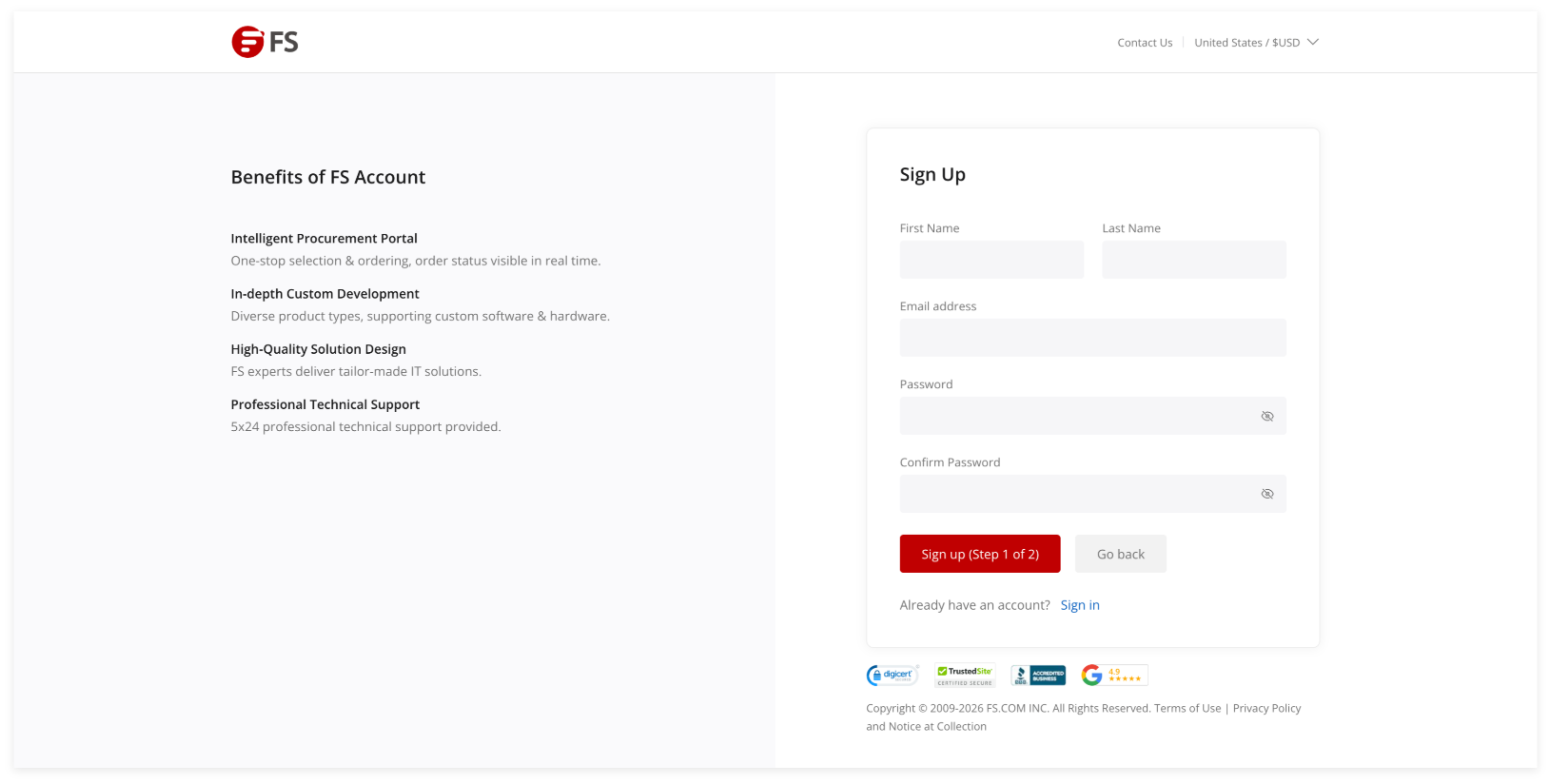
Step 2. Enter your email address and complete the registration process.
After successful registration, you can sign in to your Business Account and start the verification application.
Step 3. Click “Certify a Free Business Account” to start the verification process through one of the following entry points.
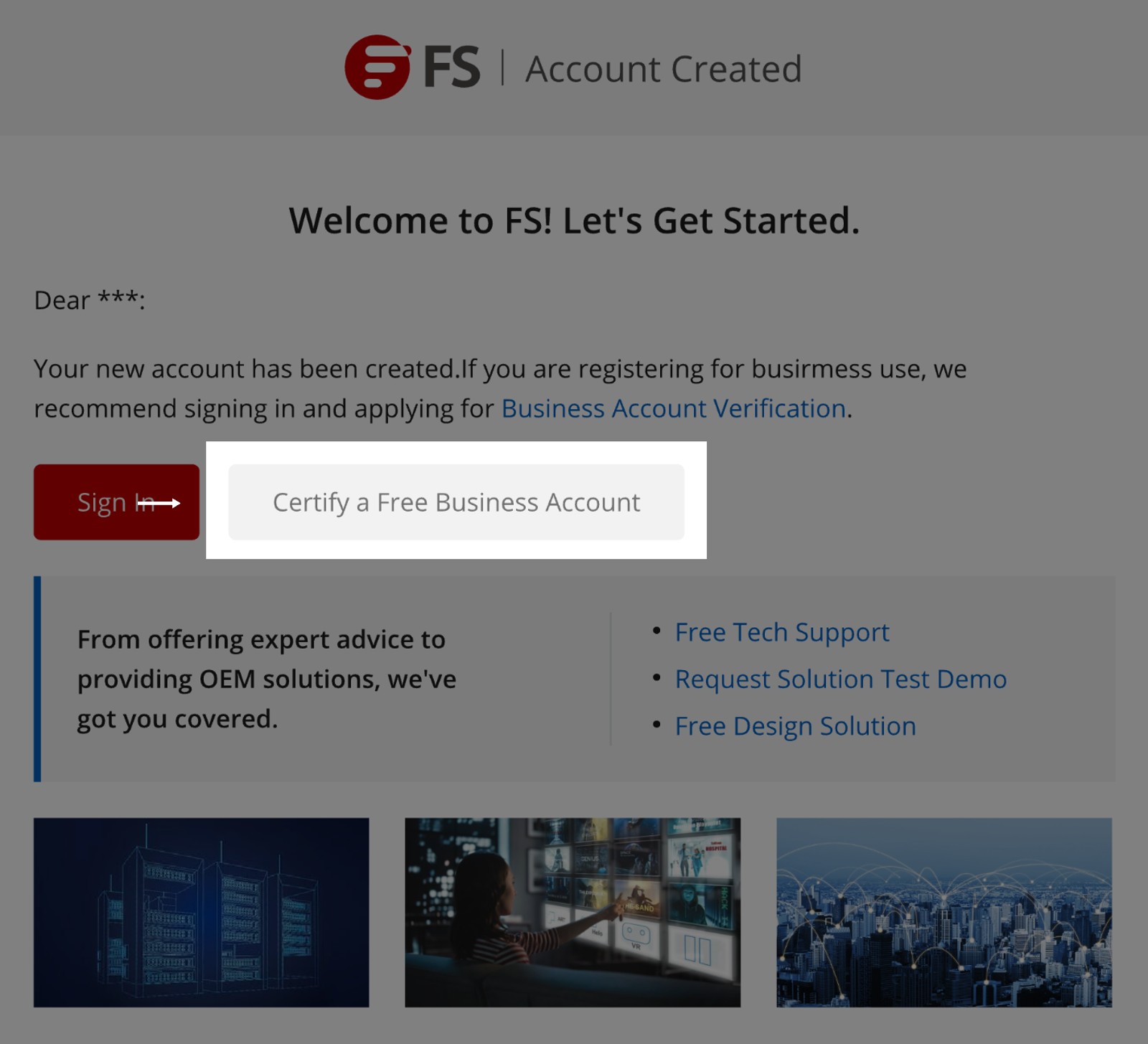
Account Created Email
Click "Certify a Free Business Account" in the “Account Created” email to start your verification.
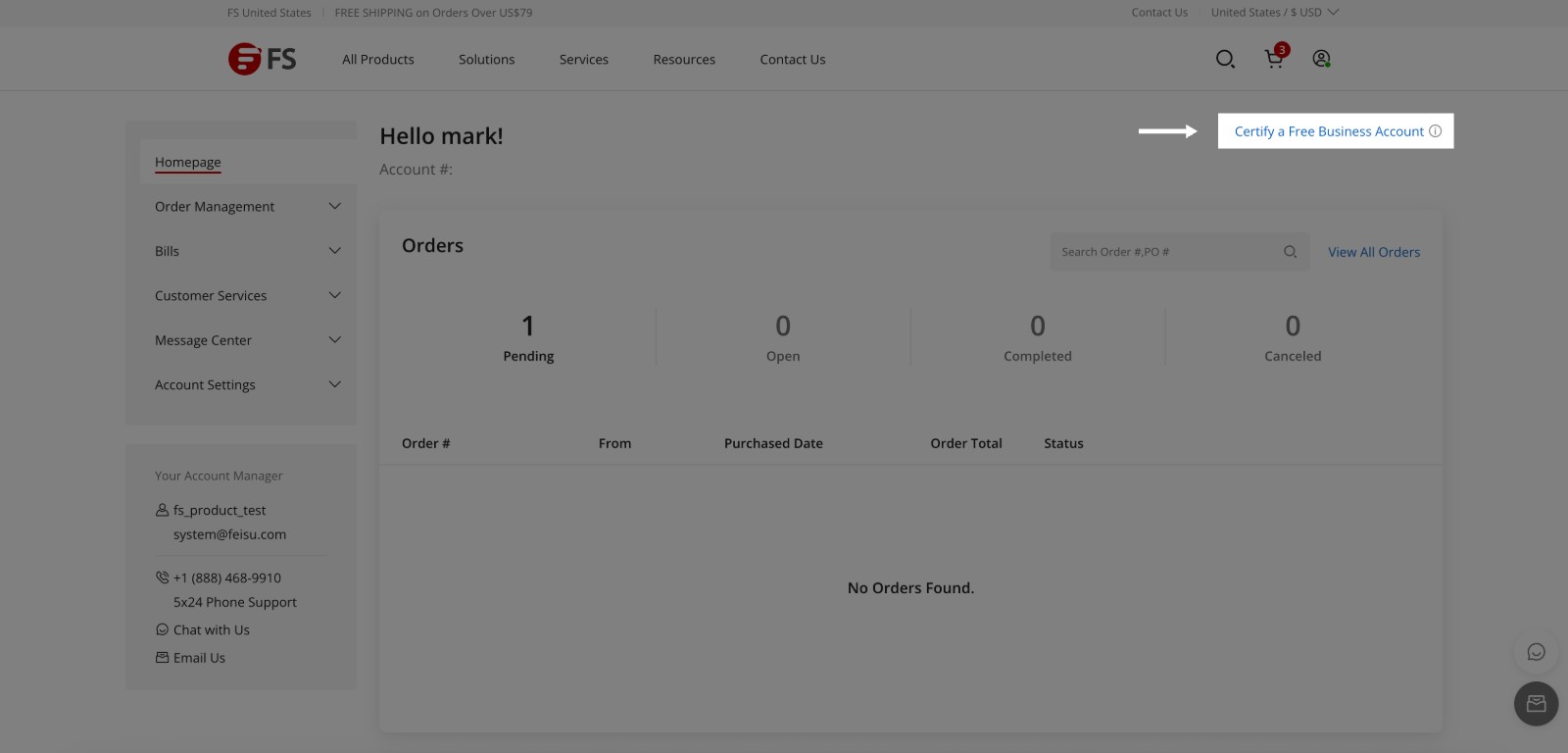
Account Center Homepage
Click "Certify a Free Business Account" on the Account Center to start your verification.
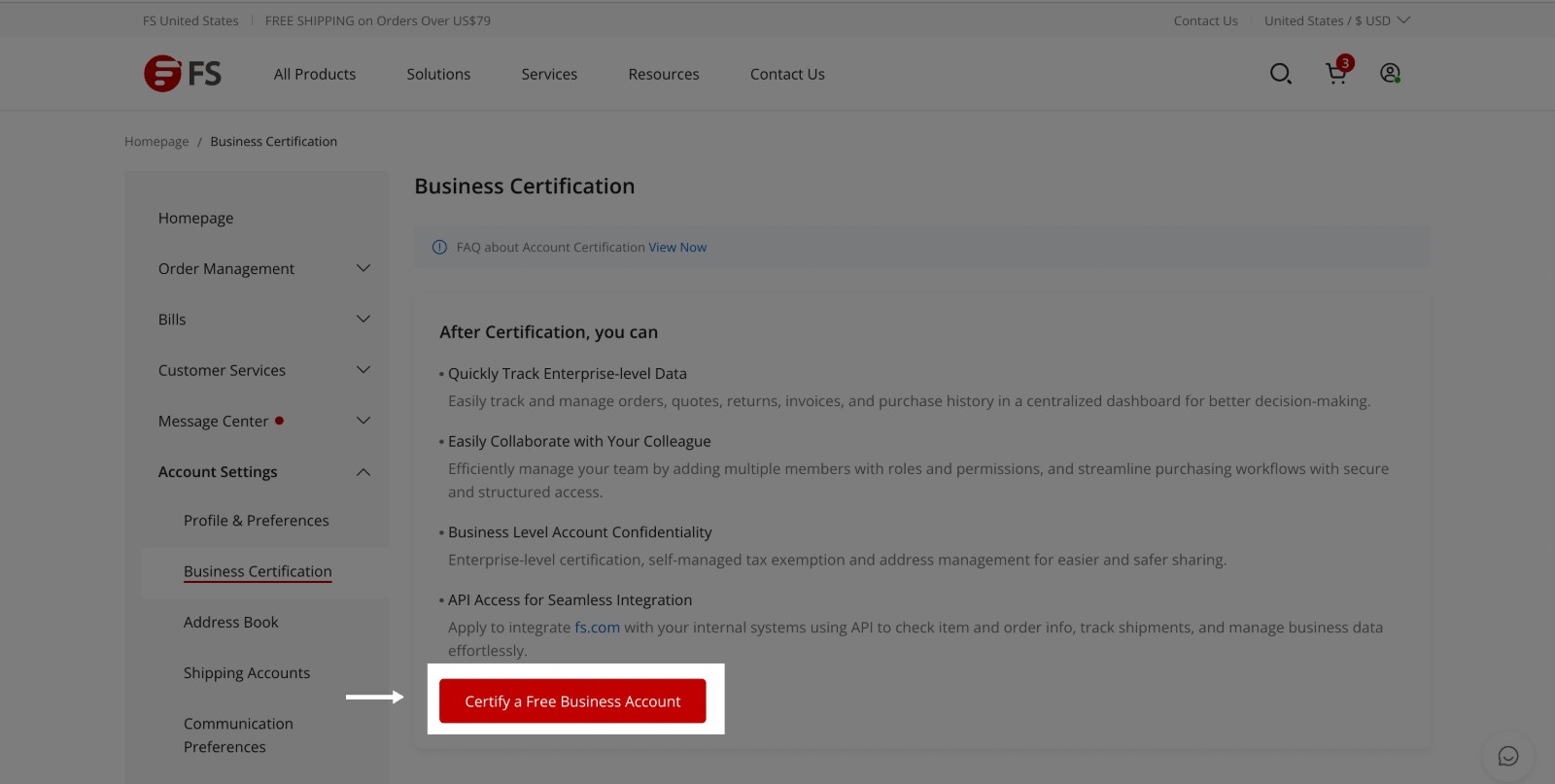
Business Certification Page
Go to Account Center > Business Certification and click "Certify a Free Business Account" to submit your verification application.
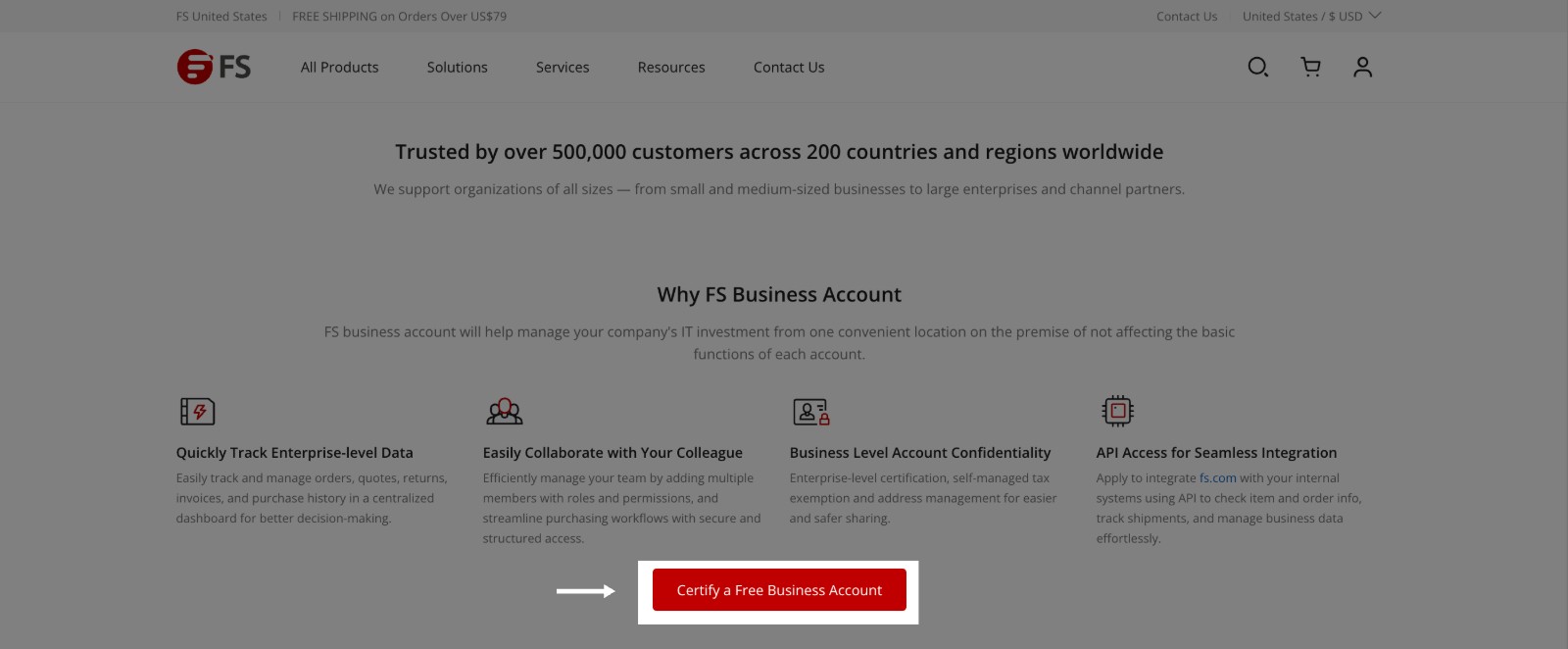
FS Business Account Page
Visit the FS Business Account page and click "Certify a Free Business Account" to start your verification.
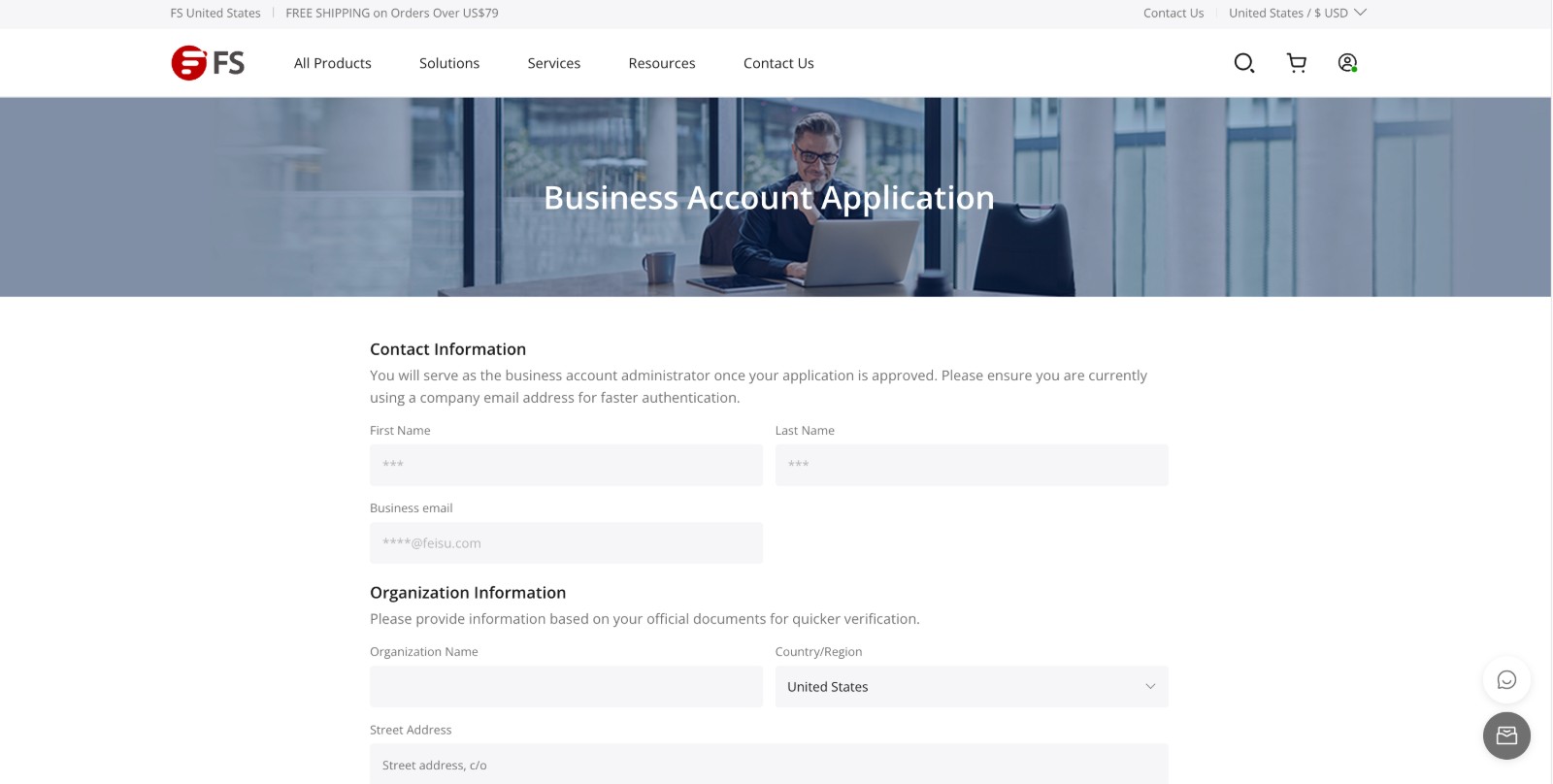
Step 4. Provide your company information and the required documents for review.
We will review your application and notify you of the verification result once it is completed. You can check the verification status in Cases in your Account Center.
Q: What if my company already has a business account?
A: You may need to join the existing business account insteadd of crreating a new one.
Q: Can sales help with the application?
A: Yes. Sales representatives can also assist customerin applyinng for a business account offline.
本页导读
Create an FS Business Account
Apply for Business Account Verification
FAQs